
GST Reconciliation / ITC Tracking / Filing Working Papers
GST compliance software that guides every monthly return step.
GCRS helps teams import books, download GST portal data, reconcile purchases and sales, track ITC claims, prepare GSTR-1 and GSTR-3B working papers, and preserve audit-ready records.
Built for CA firms, tax consultants, SMEs, and enterprise accounts teams.
Product Overview
One workspace for monthly GST reconciliation and return preparation.
The software is designed around the actual monthly GST workflow: first create company and period, then import books, fetch portal data, reconcile, review ITC and RCM, prepare GSTR-1/GSTR-3B working, approve, lock, and keep evidence for future review.
Guided Dashboard
Know what is ready, what is pending, and what should happen next.
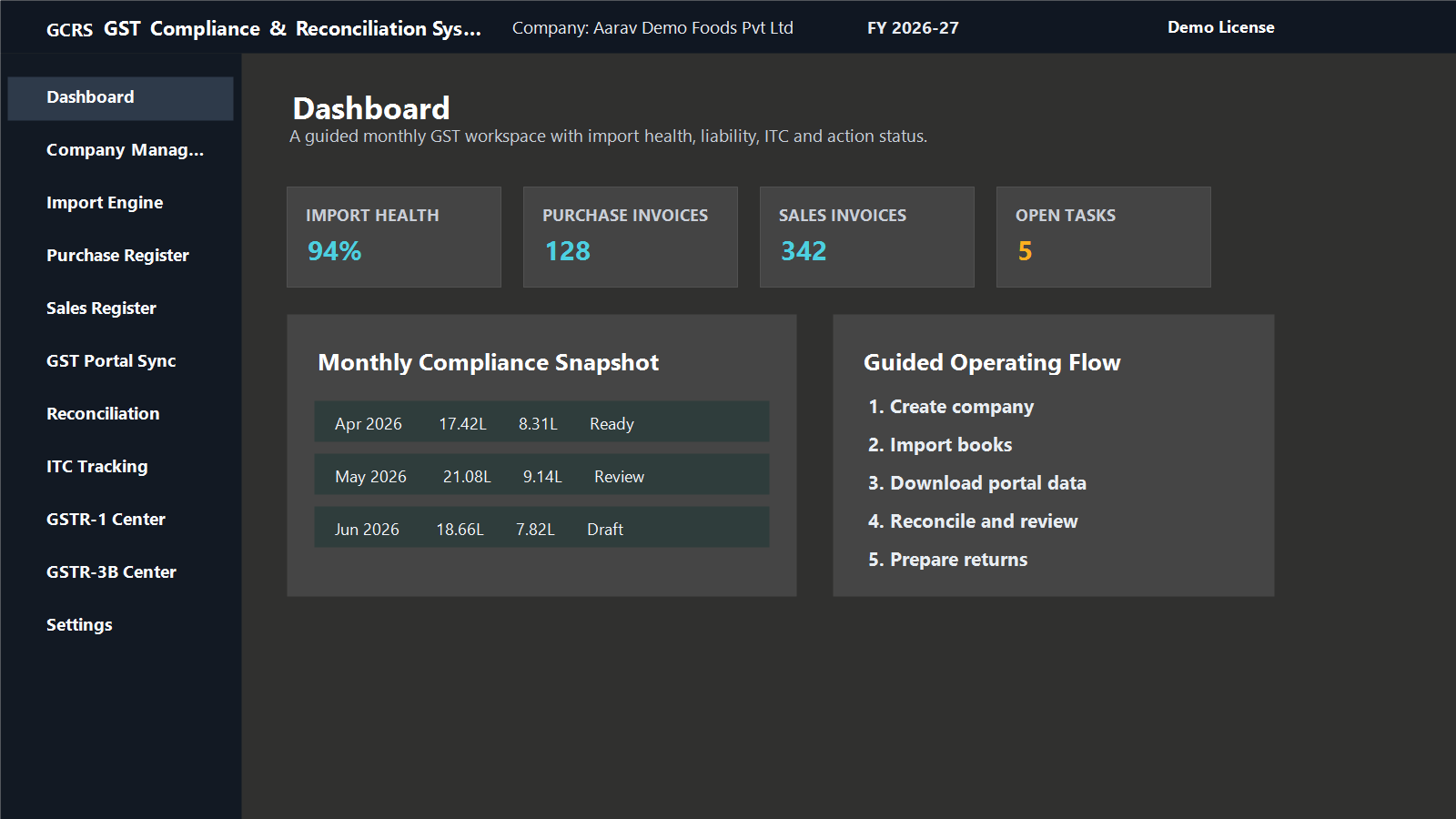
The dashboard gives a month-wise command center for compliance health, import status, open tasks, and recommended workflow. It helps new users avoid jumping directly to filing before books and portal data are complete.
- Company and financial year context
- Import health and duplicate warnings
- Quick actions for purchase, sales, portal sync and reconciliation
- Screen-level coaching for the next compliance step
Reconciliation Engine
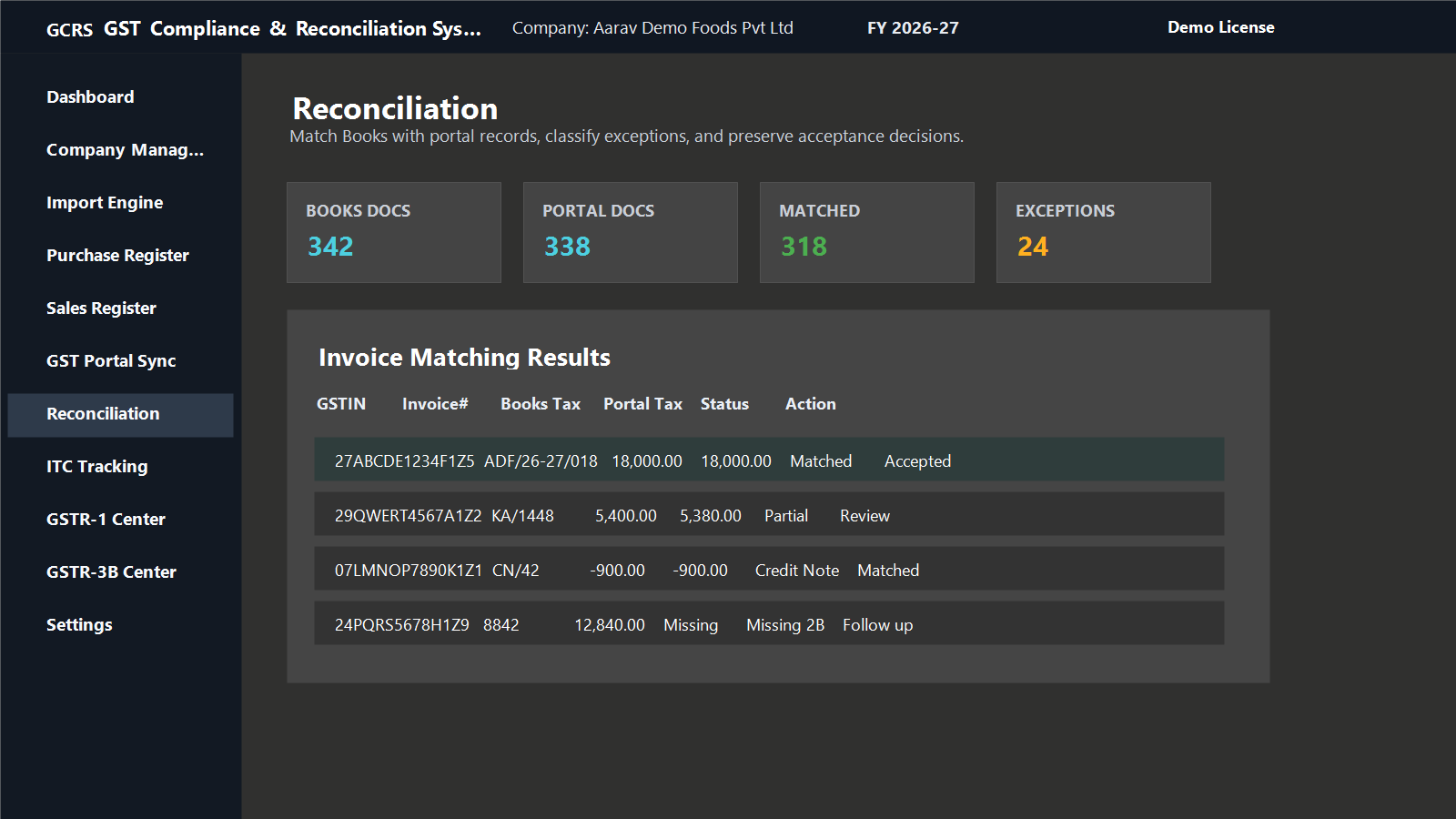
Classify matched, partial, possible and missing records before finalizing ITC or sales liability.
GCRS is built for real-world accounting differences: invoice number variation, date mismatch, tax differences, credit notes, debit notes, import of goods, and portal-only or books-only records.
- Books vs GSTR-2B purchase reconciliation
- Books vs GSTR-1/e-invoice sales reconciliation
- Accept or reject selected possible/partial matches
- Export detailed exception reports to Excel, CSV or PDF
ITC Lifecycle
Track the complete ITC story from availability to claim, reversal and reclaim.
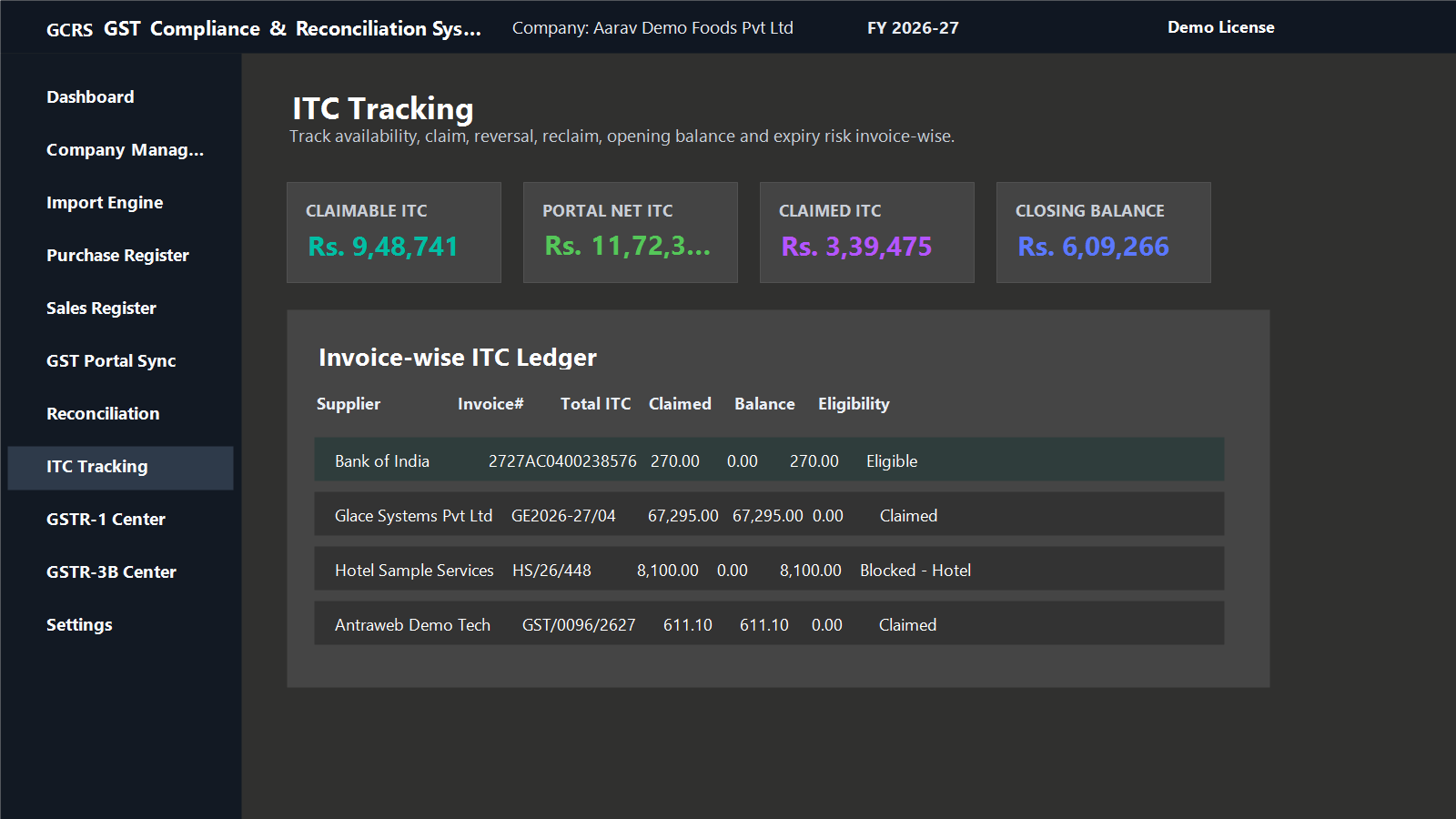
Every ITC figure should have supporting invoice data. The tracking engine gives KPI drilldowns, claim matching from filed GSTR-3B working, opening balance review, vendor analysis and exportable evidence.
- Claimable ITC and claimed ITC with invoice details
- Pending GSTR-2B items separated from blocked credit
- 4B(2) temporary reversal and 4D(1) reclaim support
- Professional workbook export with supporting sheets
GSTR-1 Filing Center
Prepare outward supply tables from books before filing on the GST portal.
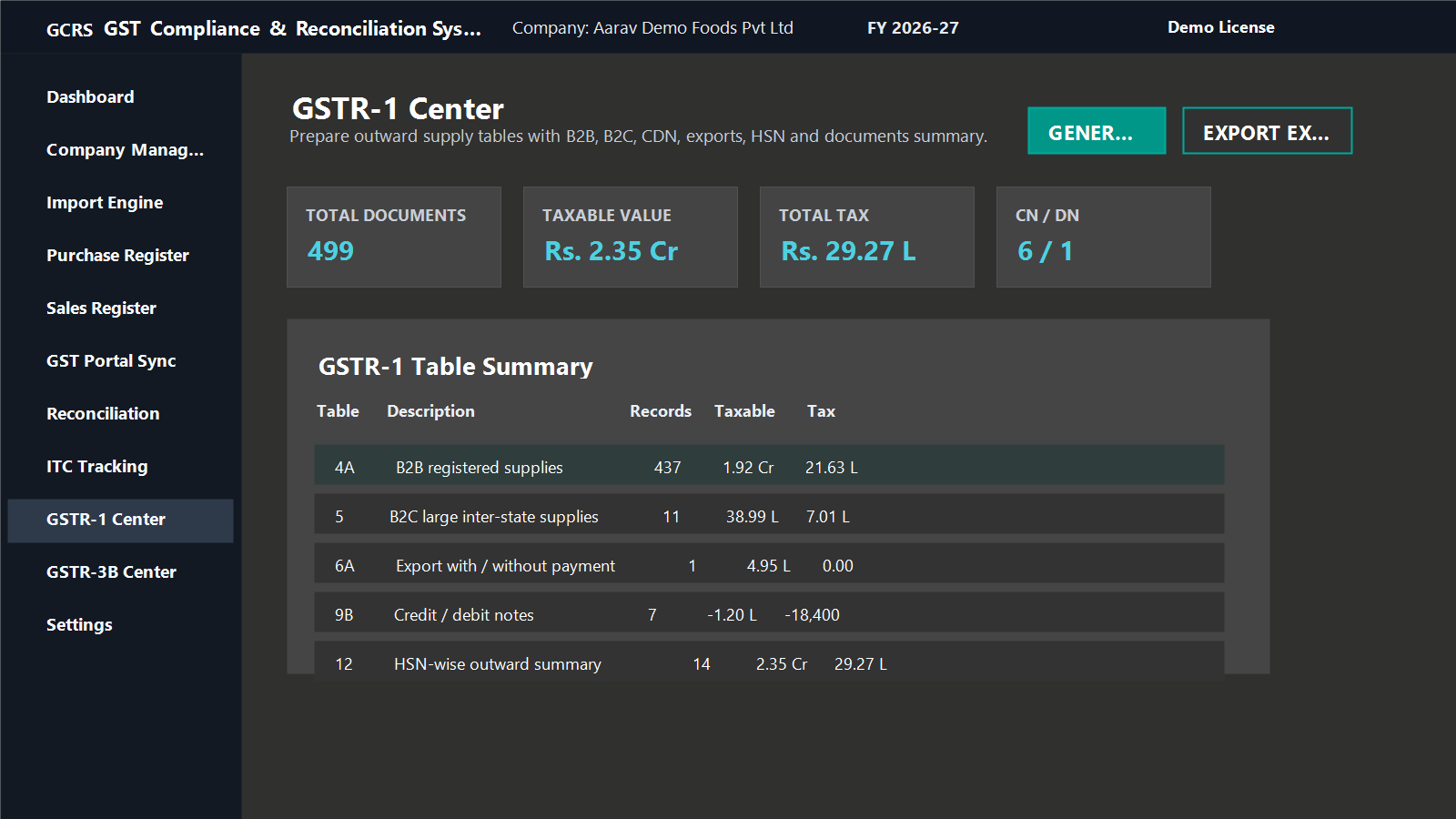
The GSTR-1 center converts sales register data into filing-ready sections such as B2B, B2CL, B2CS, credit/debit notes, exports, SEZ, nil/exempt, HSN and document summary. It also supports e-invoice cross-checking.
- B2B, B2C large and B2C summary
- Credit/debit notes and amendment-ready sections
- Export, SEZ, nil/exempt and 9(5) views
- Detailed Excel workbook with summary and source data
GSTR-3B Filing Center
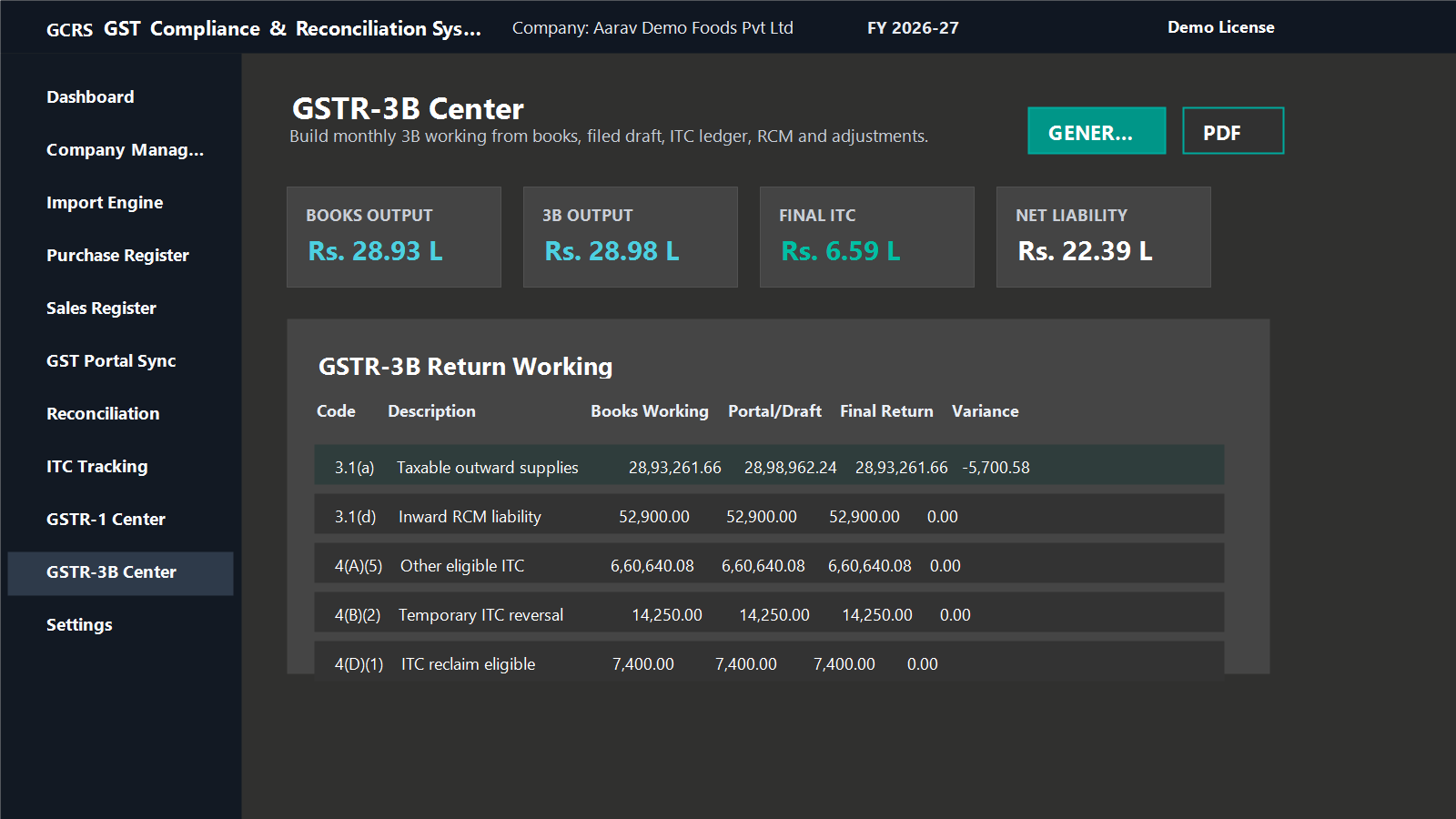
Build the monthly 3B working with books, portal draft, ITC ledger, RCM and manual adjustments.
The 3B center is designed to explain every number. It separates output liability, interstate supplies, ITC available, reversals, net ITC, other ITC, late fee/interest/payment sections and variance drilldowns.
- Books working vs portal/draft comparison
- RCM liability and RCM ITC visibility
- Adjustment and drilldown workflow
- Detailed professional Excel and PDF exports
Monthly Flow
How a user works in GCRS.
Create company
Add GSTIN, financial year and users as per license plan.
Import books
Bring purchase, sales, RCM, claim register and supporting ledgers from Excel/CSV.
Sync portal
Download GSTR-2B, GSTR-1, GSTR-3B draft/PDF and e-invoice Excel where applicable.
Reconcile
Review exact, possible, partial, missing and duplicate records with guided actions.
Prepare returns
Generate GSTR-1 and GSTR-3B working papers with source-backed schedules.
Approve and lock
Export reports, record evidence and lock the period after filing review.
Reports
Professional working papers for review and audit.
Exports are designed for accountants and reviewers: one workbook can include summaries, invoice details, source data, exceptions, accepted matches, RCM, ITC, filing tables and control totals.
Deployment
Choose local PC or office server data storage.
The website is used for license purchase, demo issue and activation. Client GST data does not need to be stored on the website. For multi-user offices, keep the database on a common office/server PC and let other users connect through the same local network.
Evaluate GCRS with a 15-day demo.
Use fictional or sample data first, then activate the right paid plan for live client work.
GST Knowledge Guides
Learn the filing and reconciliation workflow before you buy.
FAQ
Common questions before purchase.
Does the website store my GST data?
No. The website handles licensing and demo requests. GST working data can remain on the local PC or office server depending on your setup.
Can the software download GST portal data?
Yes, the desktop app supports guided GST portal automation. Captcha/OTP remains manual as required by portal security.
Can I edit imported rows?
Yes. Imported purchase and sales records can be reviewed and corrected inside the software where row editing is enabled.
Is e-invoice matching based only on IRN?
No. The e-invoice reconciliation follows practical sales matching logic using GSTIN, invoice number, date and tax amounts where appropriate.